
Meta Ads Error Codes: Common Meanings and Fixes
Last Updated on October 30, 2026 by chada sravas
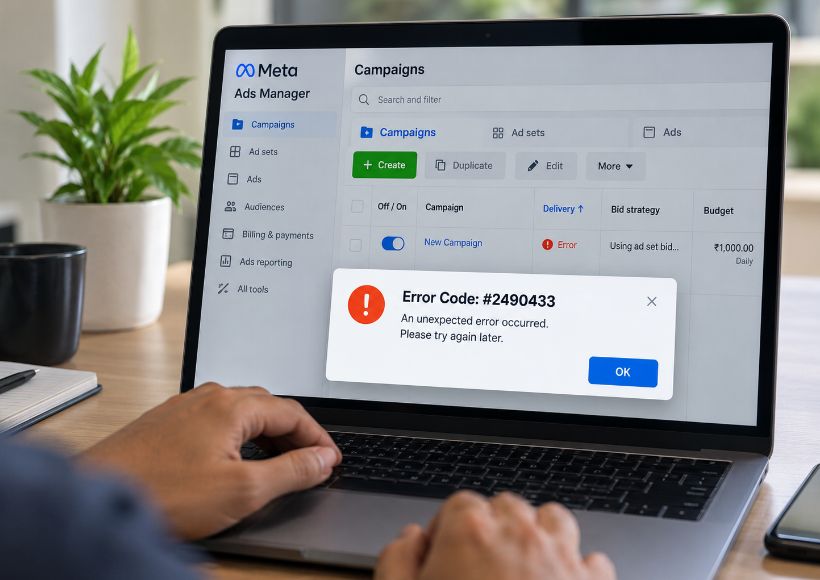
When advertisers work with Meta Ads Manager, they may see error codes that can refer to issues with payment, creativity, permissions, or technical issues.
Meta Ads Manager does not provide a thorough, publicly available summary of all Ads Manager error codes. The table below shows a differentiation between error codes identified and not identified.
|
Code |
Category |
Likely meaning |
Possible fix |
|
#2490433 |
Technical |
Generic “unexpected error” when publishing or duplicating |
Edit slightly and republish, duplicate the ad, clear cache, check billing and pixel |
|
#2490262 |
Technical |
Cause not confirmed; behaves like #2490433 |
Same fixes; contact support if it repeats |
|
#2490263 |
Setup |
Ad template or setup issue |
Rebuild the ad manually and fill all required fields |
|
#1443048 |
Creative |
Invalid ad creative or Object Story Spec |
Check Page and Instagram access, link, media and text; API users should validate object_story_spec |
|
#1860014 |
Page settings |
Setting can only be changed on the Facebook Page |
Change it in the Page’s own settings, then return to Ads Manager |
|
#2643028 |
Publishing |
Publishing process error |
Clear cache, reduce placements or variations, check file format and size |
|
#3858211 |
Payment / compliance |
Beneficiary or payer information missing or invalid |
Enter the real legal beneficiary and payer names |
|
#3858013 |
Verification |
Phone number verification issue |
Verify the number and use international format |
|
#4458003 |
Technical |
Publishing failure, cause unconfirmed |
Retry, rebuild the ad, contact support |
|
#2446803 |
Placement (unconfirmed) |
Possibly linked to video placements on image ads |
Turn off video-only placements and republish |
|
#1150 / #2078180 |
Payment (advertiser-reported) |
Error when adding a payment card |
Try the mobile app, another browser or another payment method, then contact support |
Error #2490433: When creating, copying, or releasing their ads, advertisers have encountered this undefined error. The cause of the error may be different in each case, so it is good to refer to a detailed explanation included in the error message.
Error #2490262: There is no clear evidence or public documents indicating a fixed meaning of this term. It would be best not to guess the real meaning of this error because it might mean something totally different.
Error #1150 and #2078180: Several errors were reported while adding payment cards. Some advertisers claimed they had tried using mobile apps or another browser, but these fixes do not work all the time.
The issues with payments can hinder ad campaign budgets being spent effectively or halt ad campaigns altogether.
Payment and Billing Errors
Common payment issues include:
- Expired or declined debit and credit cards.
- Insufficient funds.
- Bank restrictions on online or international transactions.
- Incorrect billing information.
- Outstanding advertising balances.
- Payment verification failures.
- Account spending limits being reached.
How to fix payment problems:
- Open Meta Ads Manager and navigate to Billing & Payments.
- Check outstanding balances and recent transactions.
- Verify the card expiry date, available balance and billing information.
- Contact your bank if the payment is declined.
- Try another supported payment method, where available.
- Check whether your account has payment restrictions.
Changing payment methods will not automatically remove account-level restrictions. These must be resolved through the appropriate Meta support process.
Ad Publishing and Configuration Errors
Publishing issues are when Ads Manager is unable to finalize the creation or modification of an advertisement. This happens due to the lack of information, problems with creative parameters, limitations in account permissions or temporary technical difficulties.
Common publishing issues include:
- Missing Facebook Page or Instagram permissions.
- Incorrect destination URLs.
- Missing primary text, headlines or call-to-action details.
- Unsupported image or video formats.
- Incorrect placement configurations.
- Invalid campaign or ad set settings.
- Problems saving changes in Ads Manager.
How to troubleshoot publishing errors:
- Read the complete error message.
- Check Campaign, Ad Set and Ad settings.
- Verify the selected Facebook Page and Instagram account.
- Check the destination URL and call-to-action.
- Review creative formats and placement compatibility.
- Confirm that your account has the required permissions.
- Refresh Ads Manager and retry the failed action.
Before duplicating an advertisement, check whether Meta has already created it. This helps prevent duplicate advertisements.
How to Troubleshoot Meta Ads Error Codes
When an error appears in Ads Manager, identify the affected campaign level and read the complete error message before changing any settings.
- Record the error code and full message.
- Check whether the issue appears at Campaign, Ad Set or Ad level.
- Verify account permissions and restrictions.
- Review billing and payment status.
- Check creative assets, placements and destination URLs.
- Refresh Ads Manager and retry the failed action.
- Contact Meta Support if the issue continues.
For unfamiliar error codes, keep a screenshot and the complete error message. A numerical code alone may not provide enough information to identify the cause.
Also Read : Facebook And Instagram In One Application. The Business Suite Facilitates Social Networking For Some Small Business.
