
iPhone 15 Overheating When Charging: Causes and What to Do
Why Does Your iPhone 15 Get Hot While Charging?
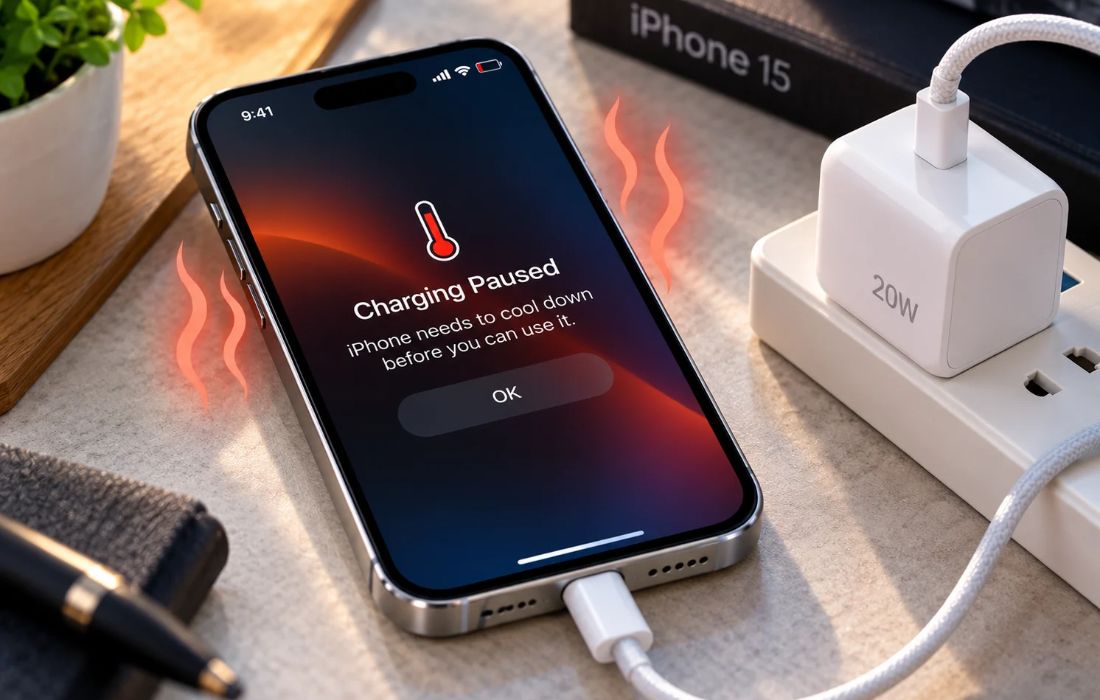
It is possible that your iPhone 15 gets a little warm during the charging process, especially when the battery is low or you are using rapid charging. If your device feels hot to the touch, slows down the recharge cycle, or shows a warning regarding temperature, it should be examined.
1. Fast Charging Generates Heat
When you charge your iPhone 15 using a compatible USB-C power adapter, the battery receives energy more quickly than it would with slower charging. This process naturally generates some heat.
The phone may feel warmer when the battery percentage is low because charging can be more intensive during this stage. Some warmth is normal, but excessive heat should not be ignored.
2. Using Your iPhone While Charging
Playing games, watching videos, making video calls, or using navigation while charging can increase heat because the phone is performing multiple tasks while receiving power.
For example, playing a graphics-intensive game while charging can generate more heat than leaving the phone idle. If your iPhone 15 becomes unusually hot during charging, disconnect it and allow it to cool before using it again.
3. USB-C Cable or Power Adapter Issues
A damaged cable, faulty adapter, or poor-quality charging accessory may cause charging problems.
Check the following:
- Inspect the USB-C cable for visible damage.
- Check the power adapter for signs of damage.
- Try another compatible, undamaged cable and adapter.
- Avoid using accessories that become unusually hot or show signs of malfunction.
If the problem continues with reliable charging accessories, the phone may need further inspection.
4. Wireless Charging Can Increase Heat
Wireless charging can generate more heat than some wired charging setups because energy transfer is less efficient.
If your iPhone 15 becomes hotter on a wireless charger, try charging it with a compatible USB-C cable instead. Remove any thick or heat-trapping case if it is safe and practical to do so, and follow the charger’s instructions.
Compare the results under similar conditions rather than assuming that wireless charging is always the cause.
5. Charging in a Hot Environment
Room temperature and the surrounding environment can affect how efficiently your iPhone releases heat.
Charging the phone in direct sunlight, inside a parked car, or on a surface that traps heat can make the problem worse.
Charge your iPhone 15 in a cool, well-ventilated location. Avoid covering it with bedding or placing it near other heat sources while charging.
6. Battery Condition May Affect Charging
Review the maximum capacity and any battery service recommendations. Battery condition alone does not prove why the phone is overheating, but it can help identify whether further inspection is appropriate.
How to Identify the Cause
Pay attention to when your iPhone 15 overheats while charging.
| What You Notice | What to Check |
| The phone becomes warm during fast charging | Check whether the warmth is temporary and charging returns to normal. |
| The phone gets hotter while gaming and charging | Stop intensive activities while charging. |
| Wireless charging produces more heat | Compare with compatible wired charging. |
| The phone heats up with one specific cable or adapter | Inspect the accessory and try a reliable alternative. |
| The phone becomes hot even when idle and charging | Check battery settings and consider professional inspection. |
| A temperature warning appears | Disconnect the charger and let the phone cool naturally. |
What Should You Do If Your iPhone 15 Gets Too Hot?
- Disconnect the charger if the phone is unusually hot.
- Stop demanding activities such as gaming or video recording.
- Move the phone away from direct sunlight and other heat sources.
- Leave it in a cool, well-ventilated place until it returns to a normal temperature.
- Check the charging cable, adapter, and battery condition before charging again.
Never place your iPhone in the refrigerator or freezer to cool it down quickly. Rapid changes in temperature may lead to condensation and damage to the phone itself.
Should you experience overheating while charging, warning notifications regarding the temperature, or interrupted charging, reach out to Apple Support or an authorized service location. If the battery looks swollen or there appears to be any damage, stop using and charging your device immediately.
